Work Instruction
1. Grab your Honeywell Device and open it.
2. Hit Chrome.
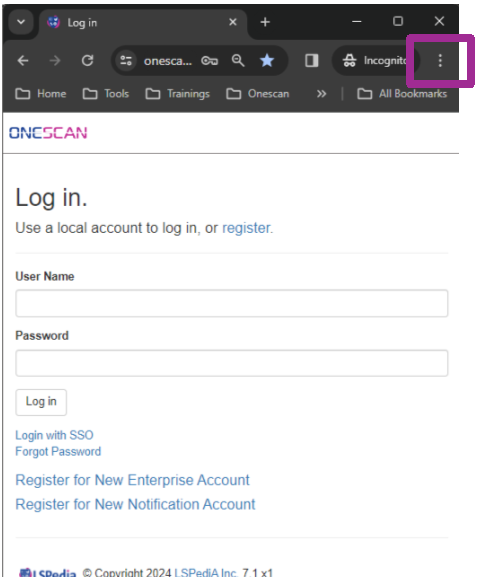
- Your Screen will look similar to this except it won’t say incognito mode.
- Click the 3 Dots as indicated by the purple square.
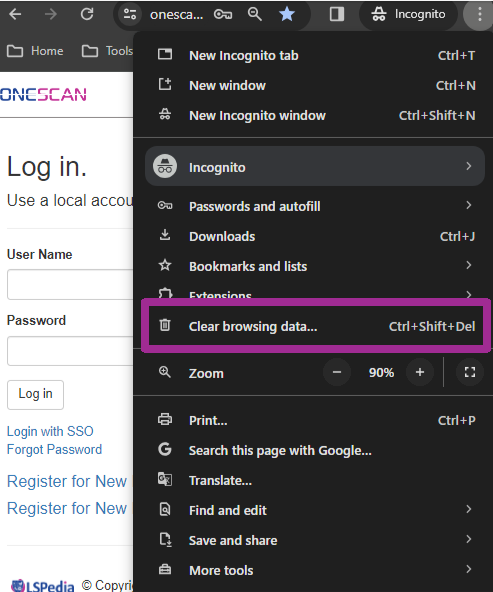
3. Select Clear Browsing Data.
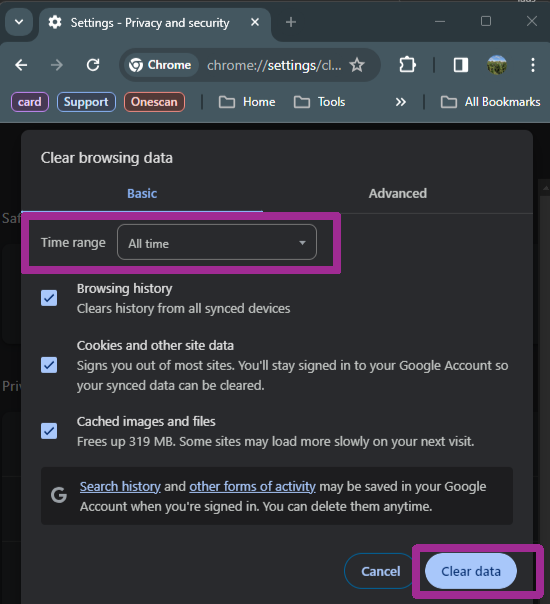
4. Click the Drop-Down labeled “Time Range”.
- Make sure this is set to “All Time”.
5. Click Clear Data to clear all the cache.
- Do this on a weekly basis.