
1. Why are we paying if we are not seeing data?
Our support team has made the necessary back-end configurations for your locations for Data transfer, however, the supplier you have selected may not be ready to send Data yet. In this case, we encourage you to reach out to any contacts you may have with the supplier. We do outreach frequently and are ready to receive files at any moment.
2. I have registered for my Pharmacy Pro account, what do I do next?
After registering for pharmacy pro account. You should login with credentials using this https://onescan.lspedia.com/Login?ReturnUrl=%2F to add your pharmacy locations, update your company profile, suppliers and add users you want having access to the pharmacy pro account
3. Why have I been provided multiple GLN’s? Which one do I use?
For pharmacies, GLNs are typically obtained from their suppliers, such as the major ones like Cardinal, Cencora, and McKesson. As a result, you may have received multiple GLNs from various suppliers. We recommend selecting one primary supplier from whom you receive most of your products and updating your GLN information accordingly with other suppliers.
4. How do I obtain a GLN and GLN certificate?
A GLN number and certificate can be obtained from the GS1 website https://www.gs1us.org/tools/gs1-company-database-gepir
5. When will I see data in OneScan?
You will start seeing data once your suppliers start sending files.
6. Do we have to scan every item?
Yes, every item with serialized data must be scanned.
7. What do I do with orders missing items?
If you receive the physical item, you will need to contact your supplier and let them know.
8. How can we speed up our connection process?
To expedite the connection process, we recommend adding your suppliers to Pharmacy Pro and informing them to establish the necessary connections with your new EDI provider.
9. What kind of training is available for the dispenser level to become more familiar with OneScan?
We offer webinars and instructional videos designed to guide you through the usage of Onescan.
10. Why are the new users I create asking for a corporate code when attempting login?
original user likely signed up and did not provide GLN at initial sign up. GLN was added later or not added at all causing original user to have no GLN. When a new user created, proper GLN assigned but cannot link back to original user's token. GLN needs to be assigned to original user. ask support to help.
11. I have added my locations, suppliers, and users, what now?
At this point no action is needed from you a notification email would be sent to you once a EPCIS file is received.
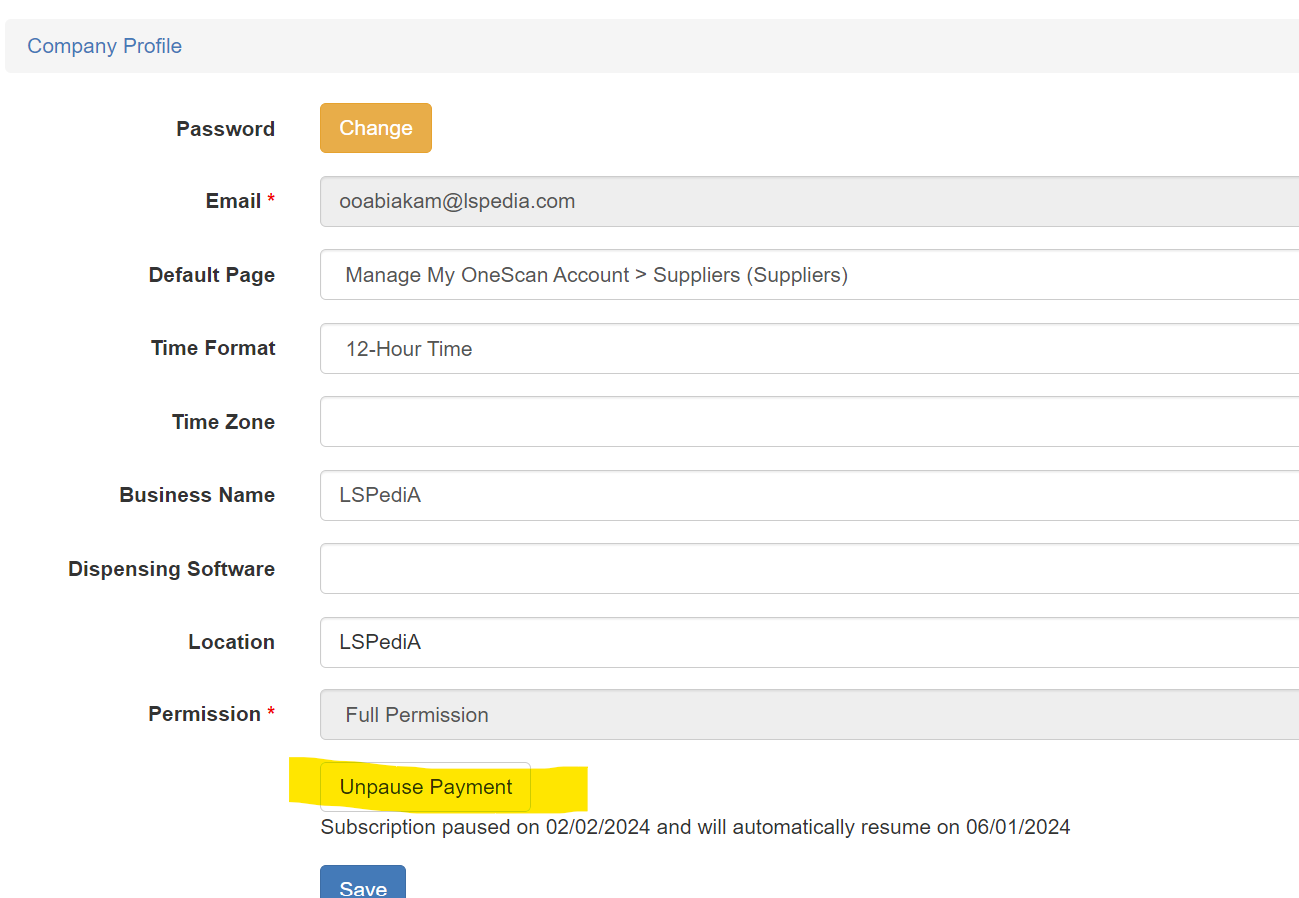
12. When does the Pause period end?
06/01/2024
13. Do I need to add corporate location in OneScan?
Yes, the corporate location must be added on Onescan.
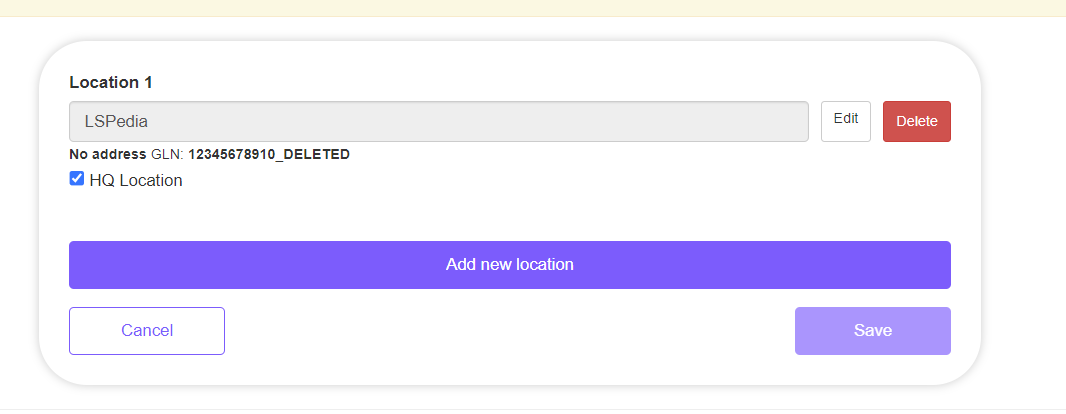
14. What do I do if I need to add another location into OneScan?
- To add location.
- login into Onescan.
- Click on the My Onescan Account drop down menu.
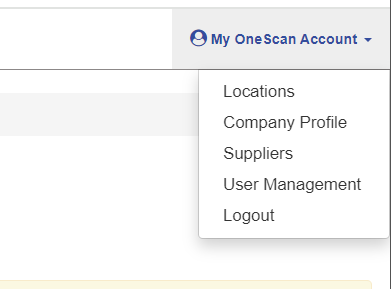
- And then on locations to add locations.
15. Does my corporate location need a GLN?
Yes, your corporate location needs a GLN.
16. I have a GLN for each of my accounts (3 total GLNs). Do I enter all 3 for my one location?
We recommend selecting one primary supplier from whom you receive most of your products and updating your GLN information accordingly with other suppliers.
17. What scanners can I use?
Any scanner that can read 2D barcodes can be used with our system. Most mobile phones and laptops with cameras should also work. The scanners we recommend using are the Honeywell 1900G-SR or the Honeywell 1900G-HD. These are the scanners that we use here at LSPedia.
18. What barcode do I scan?
You scan the 2D barcode on the container.
19. Do I need GLNs for 340b accounts for onboarding?
Yes.
20. Will I be charged for 340b locations?
Yes.
21. How do I use VRS?
- Kindly follow the below steps to use VRS.
- Login into your pharmacy pro account.
- Click on verification and the click to verify.
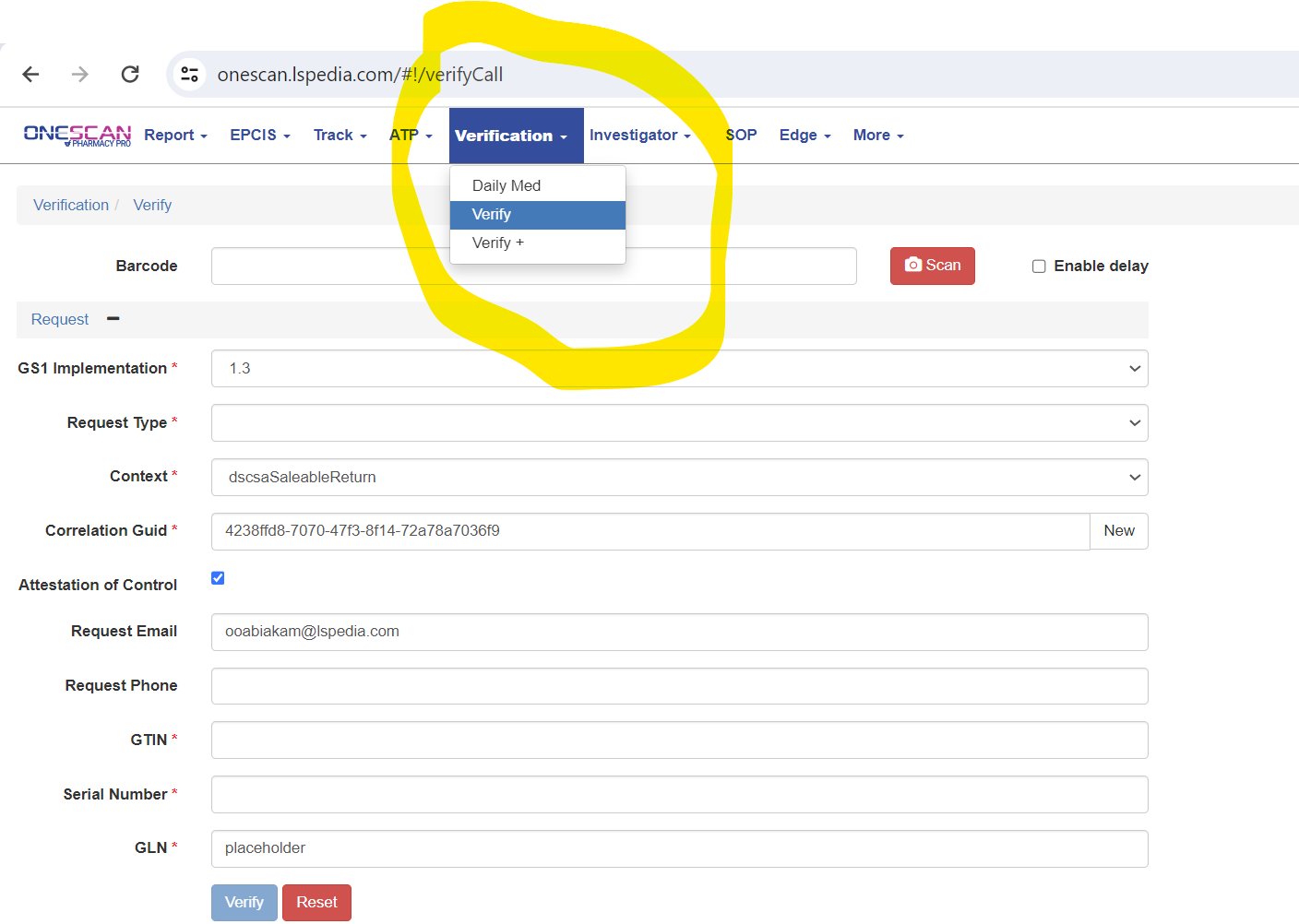
- Then you click on the highlighted portion on the screenshot below

- Then you scan the 2D barcode of your product.
22. What is an ASN? What is EDI?
An ASN (Advanced Shipping Notice) is a document used in supply chain management to provide detailed information about a pending delivery.
EDI (Electronic Data Interchange) is a standardized method for exchanging business documents electronically between different computer systems or companies.
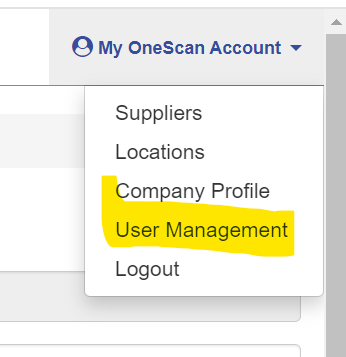
23. Where is the pause button?
The pause button can be found using the steps below.
24. Include register dispenser URL in FAQ sheet.
https://onescan.lspedia.com/login/RegisterDispenserUser
25. If location needs to be removed, what is the offboarding process?
Contact LSPediA support @ help@lspedia.com to remove locations.
26. How can I remove the original user from my account?
Contact LSPediA support @ help@lspedia.com to remove users.
27. Are the products okay if the file processed complete with warnings?
Yes, the products are okay if the file processed complete with warnings.
28. I have products that are not in the EPCIS file, what do I do?
If you receive a prescription product that does not match your EPCIS file, it's important to contact your supplier and notify them of this discrepancy.
29. What do I do with my OTC products?
OTC products, or over-the-counter items, do not require serialization. Therefore, you are permitted to receive OTC items without an EPCIS file.